Two years ago I wrote that a barcode scanner was coming to the apps. It took longer than I hoped, but it is finally here. Version 15.0, released on November 16 for all twelve apps, adds Scan Food: point your iPhone at the barcode on a packaged food, and a moment later you see what is inside, with the numbers that matter for what you track shown first.
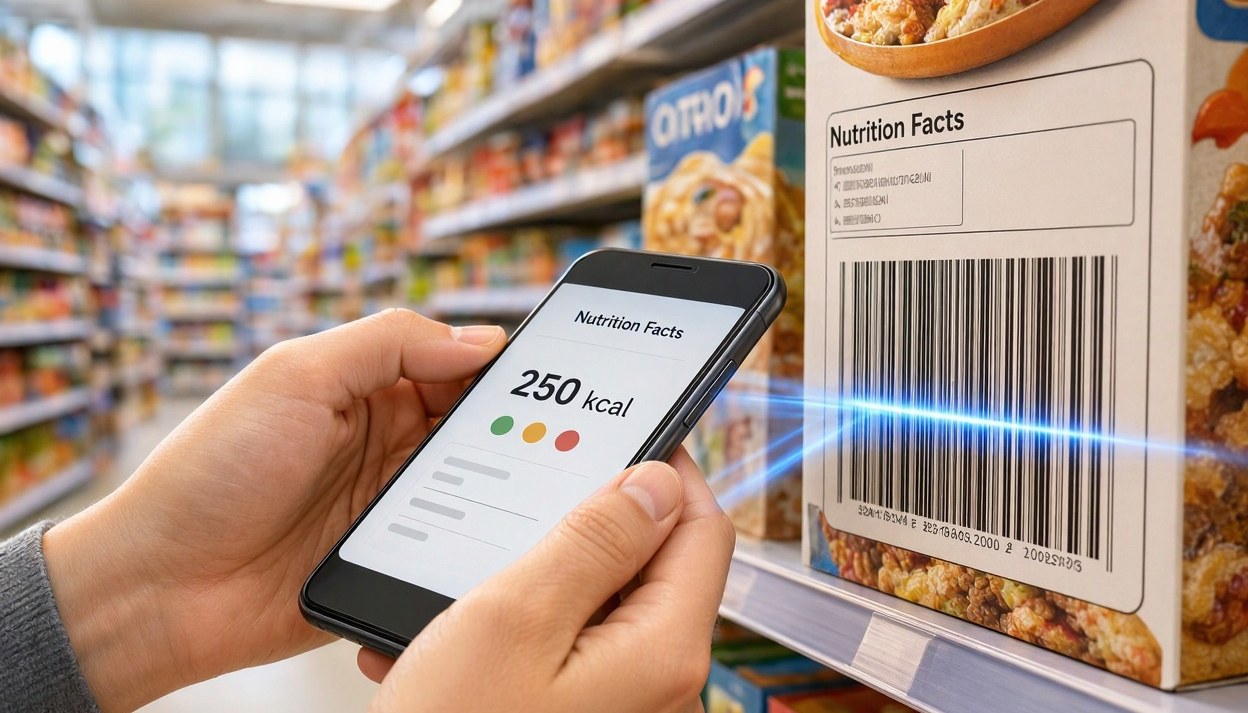
Scan a barcode, see what's inside
You will find Scan Food in the Records menu of every app. Scan the barcode with the camera, or type the number in if the label is creased or the light is poor. For each product you get:
- Nutrition facts per 100 g or 100 ml: energy, fat, saturated fat, carbohydrates, sugars, fiber, protein, salt and sodium, and more when the product lists them
- Nutri-Score and NOVA group, two quick ways to judge how healthy and how processed a food is
- Allergens and additives
- Your recent scans, so you can check a product again without scanning it
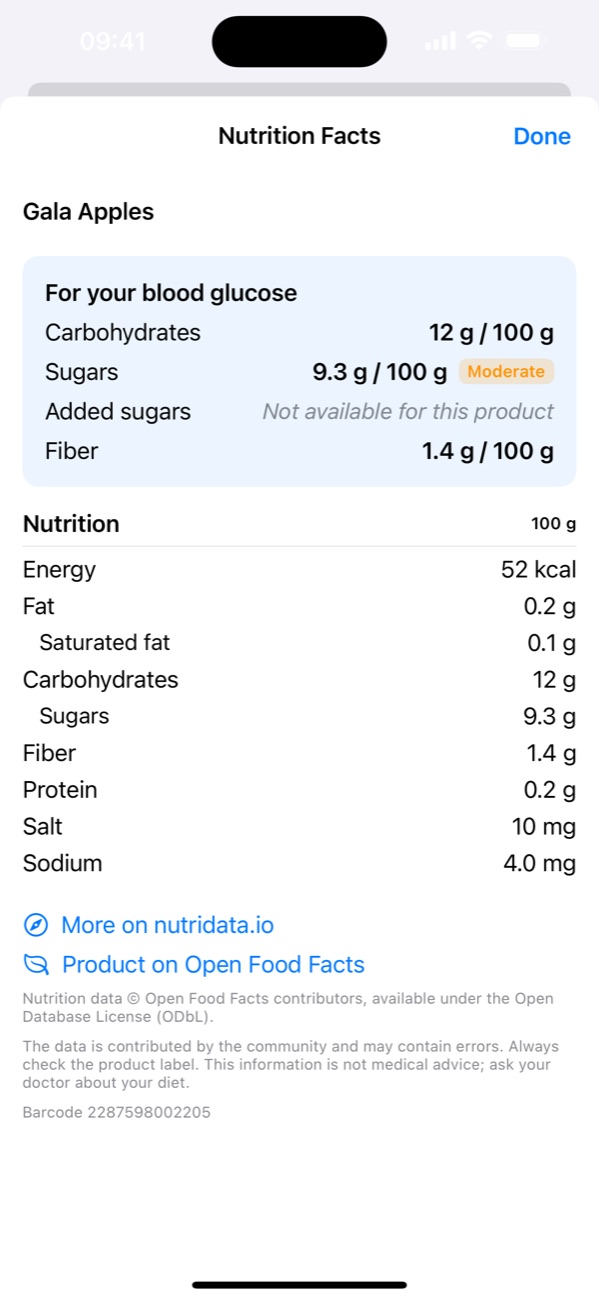
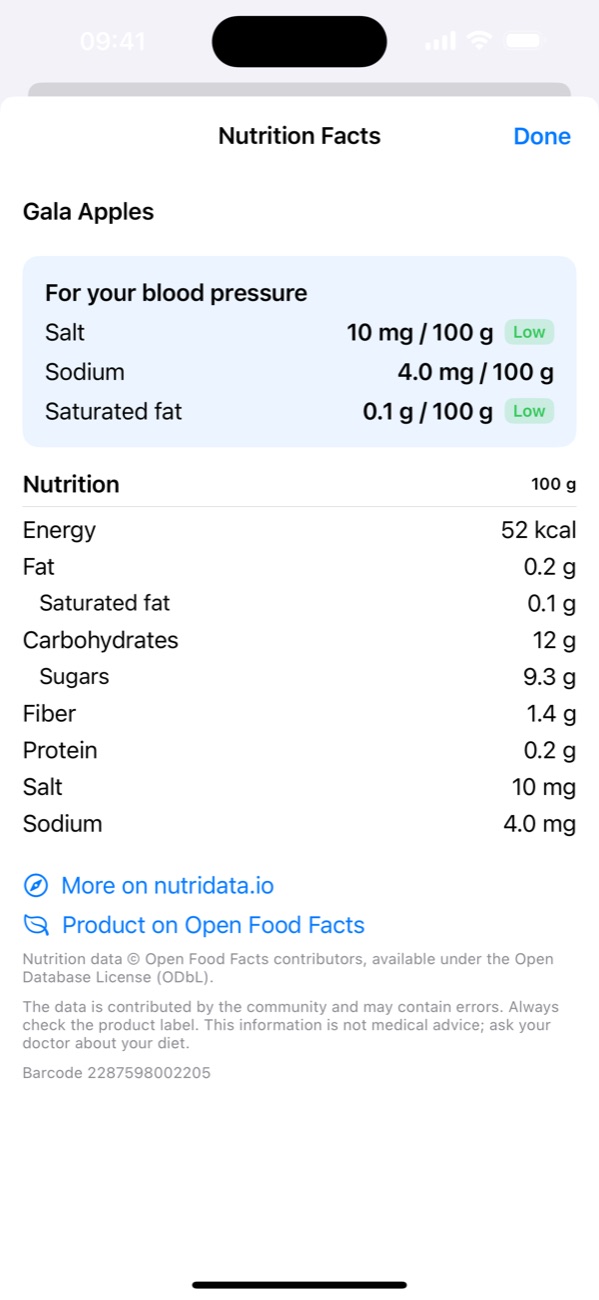
Fat, saturated fat, sugars and salt are tagged Low, Moderate or High, so you can read them at a glance in the store aisle. When a value is missing from the product's data, the app says so (“Not available”) instead of guessing. A missing number is not the same as zero.
What matters to you comes first
Each app knows what you are tracking, so the top of the product sheet is different in each one:
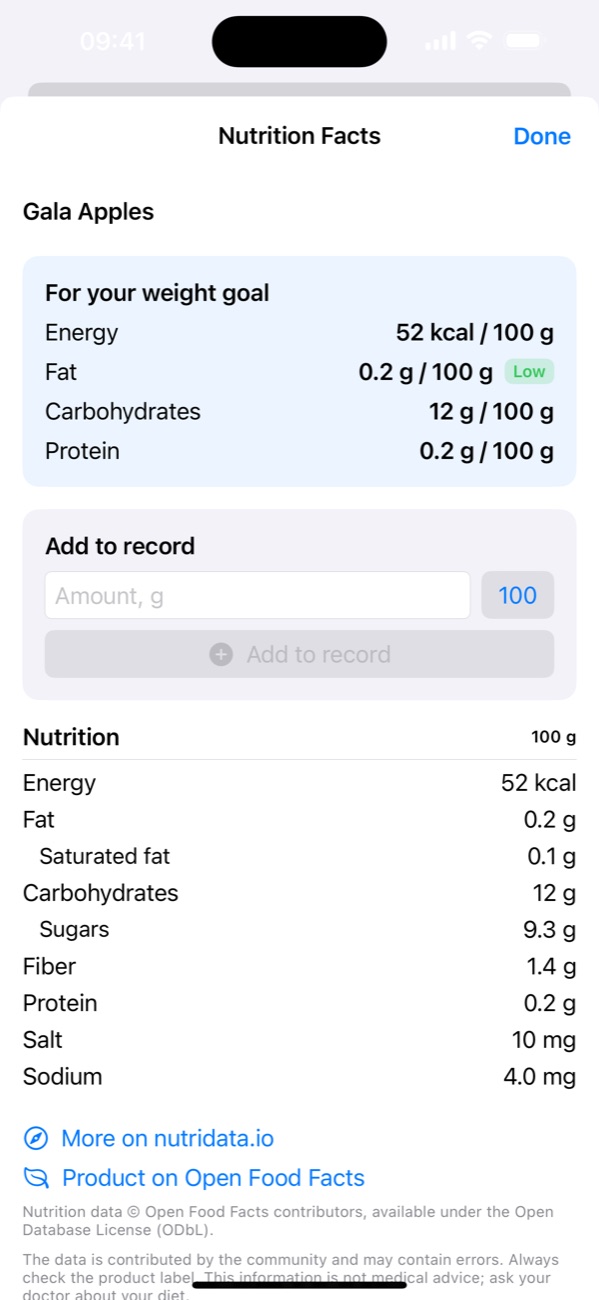
- iGoal: energy, fat, carbohydrates and protein, for your weight goal
- BGluMon: carbohydrates, sugars, added sugars and fiber, for your blood glucose
- BPMon: salt, sodium and saturated fat, for your blood pressure
- BCMon: saturated fat, trans fat, cholesterol and fiber, for your cholesterol
- iHeart: salt, saturated fat and caffeine, for your heart
- BTMon: energy, sugars and salt
Here is the same apple in three of the apps:
iGoal: add it to your records
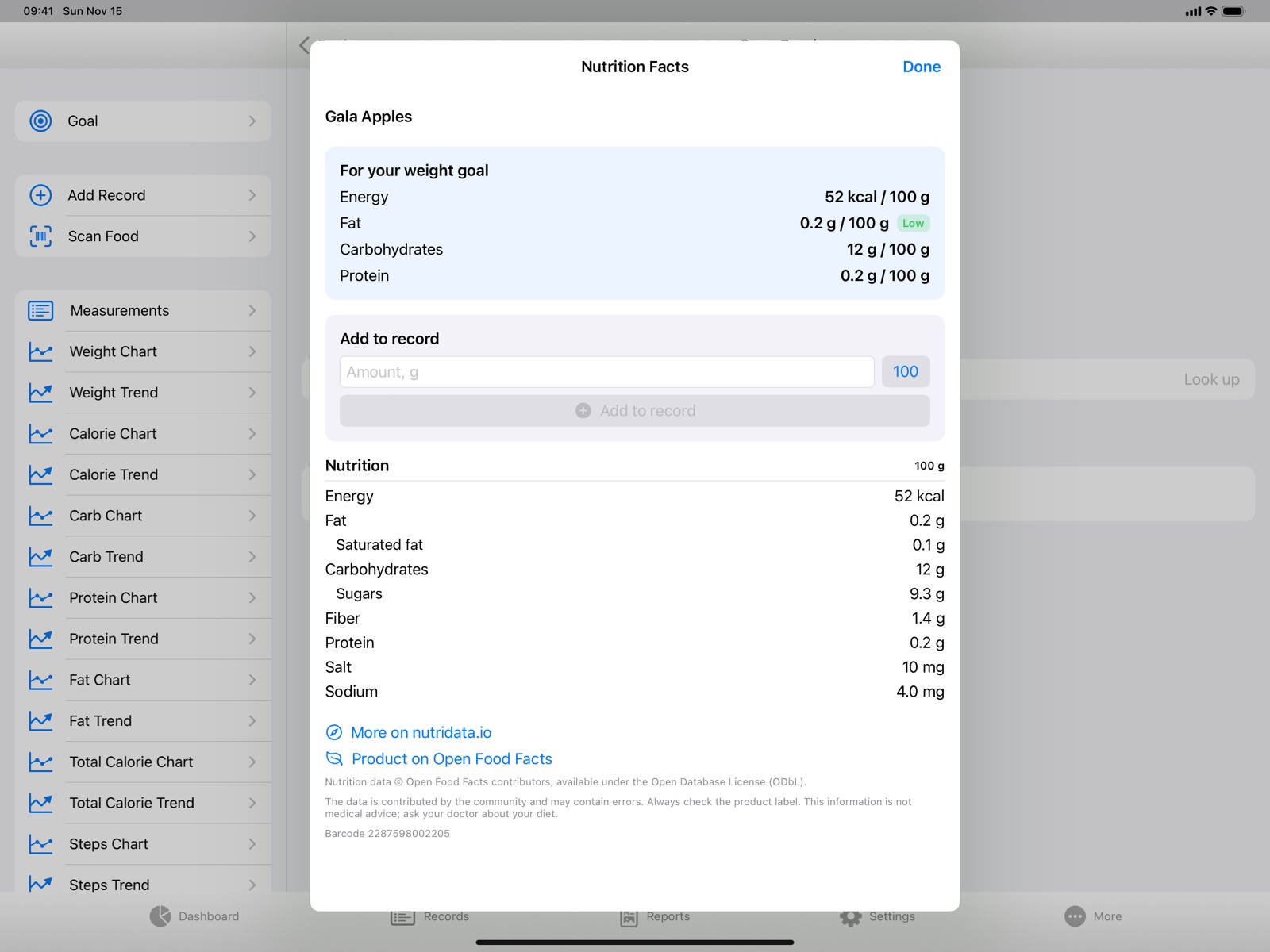
In iGoal, the product sheet has one more section: Add to record. Enter how much you ate, tap the button, and the calories, carbohydrates, fat and protein for that portion are calculated and added to your records. No more copying numbers from the label by hand.
On iPad, too
Scan Food works on iPad as well, right in the Records sidebar. Version 15.0 also brings the apps up to date with the latest iOS and iPadOS, including the new iPad tab bar and sidebar.
Where the data comes from
Product information comes from Open Food Facts, a free, open database of food products from around the world, built by volunteers. The apps get it through NutriData.io, the web version I introduced together with the first announcement. NutriData.io is now updated every day from Open Food Facts, and products without any nutrition facts are left out, so a scan shows real numbers instead of an empty page.
If a product isn't found, it may simply not be in the database yet. Anyone can add it on Open Food Facts, and once it has its nutrition facts, it usually shows up in the apps within a day or two.
The data is contributed by the community and may contain mistakes, so for anything important, check the label on the package. And of course this is information, not medical advice: your doctor or dietitian knows your situation best.
Your privacy
Scan Food was built with the same rule as everything else in these apps: your health data stays yours.
- When you scan, only the barcode number (and the app's name and version) is sent to look up the product. No health data and no personal information are sent.
- Camera images are processed on your iPhone or iPad and are never stored or sent anywhere.
- Your recent scans are kept only on your device.
The full details are in the updated privacy policy.
Also in version 15.0
- Updated for the latest iOS and iPadOS
- Layout fixes on iPhone and iPad
- Performance and stability improvements
Version 15.0 requires iOS 16 or later.
How to get it
Just update your app from the App Store. Scan Food is a Premium feature, in both the Pro and Plus versions (the difference between the two is explained in Pro vs Plus).
The first week has gone smoothly, and I would love to hear how Scan Food works for you: products it couldn't find, numbers that look wrong, or values you would like to see first in your app. Write to me at [email protected]. I read every message.
— Anatoly